How to compress a movie for the web using Quicktime

How to compress a movie for the web using QuickTime

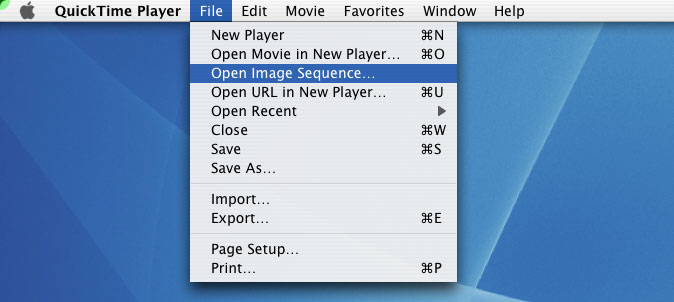
1) Open QuickTime. If you already have your file saved as a QuickTime file simply open open it. If you have an image sequence with all of your frames properly named sequentially (i.e. myMovie.001.tiff, myMovie.002.tiff, etc) then you must open it in Quicktime. To do this goto File -> Import Image Sequence.


QuickTime will then automatically create a movie for you. If you have audio follow the next step, otherwise skip to step #5 on the next page.


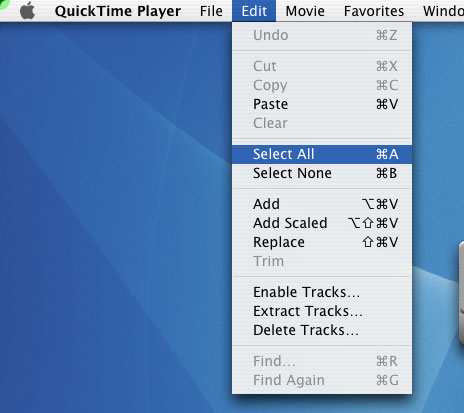
2) Open your audio file in QuickTime. You will now add the audio to the video. First make sure the audio file is the correct file (sometimes there are different versions and you dont want to use the wrong one), then select Edit->Select all

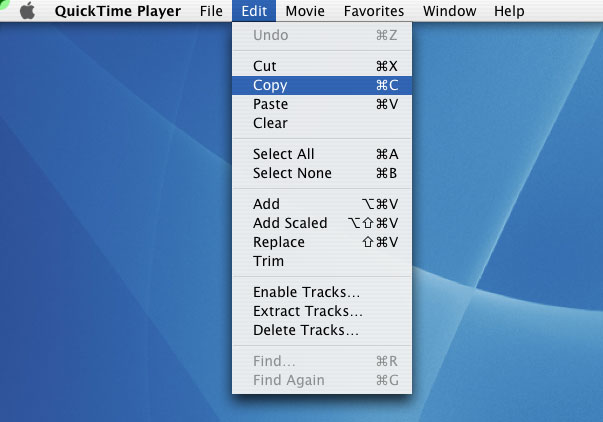
3) Then Edit -> copy


2 of 5


Copyright © 2003-07, Jason Gottlieb